Open Live Help
roof estimating
RoofCalculator Software
Instant Bids for Comp Shingles, Shakes,Tile, Metal and all others !


Roofing estimates simple
Using RoofCalcWriter 10.8

Roof Estimating
Home
About RoofCalcWriter
Downloads
Using RoofCalcWriter
Sample Estimatesheet
$PerSquare Worksheet
Roofing Proposal
Address Book
Faq RoofCalcWriter
Version History
Buy
Compare Software
 
Roofing Tips-How To
Determine pitch
Measure a roof
Measure roof plans
Roof measuring tips
Plan measuring tips
Roofing Tools
Roofing books
Roofing Tarps
Roofing nail sizes
Nails per square
Nail Specifications
Roof design
Material selection guide
Find a roofleak
Pitch-degrees equivalents
Amount to add for pitch
Attic ventilation tips
Whole-House Fans
Measure from the ground
Roof Maintenance
Select a contractor
Roof Terminology
What is a square?
 
Popular Roof Materials
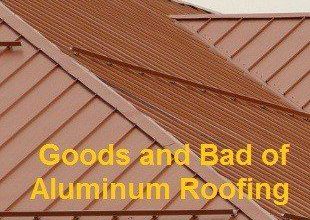
This article covers the positive and negative features of the following roofing materials.

Roof   Detail Pricing 

 Detail pricing is for people who would prefer to cost their roofing jobs by detail pricing rather then per square pricing. With detail pricing you supply all the pricing details for materials, labor and any other costs including overhead and profit and other items to include. (Sub Contract, Gutters etc)

  Using Detail Pricing you can select items from your price list and add them to your material cost grid. The same process is used in Per square Pricing when creating a work order. The prices in the price list are for example only. You need to create your own price list containing your prices.

 The wording in your price list is important for roofing items to be atomically added from job cost on the main screen when clicking the add from job cost button. When clicking the Add from Job Cost Button your roofing quantities for roofing squares rolls of felt etc are added to your material detail cost along with prices found in your price list. 

 You can add materials by selecting them, then clicking green arrow or by clicking the blue left hand border. If the material detail cost grid gets full you can continue to add materials and new rows will be added. You will be warned if adding a duplicate item.

Click Image for full size


Detail roof pricing
To optionally add for sales tax, payroll tax, profit and overhead click the options icon on the toolbar or the tools menu item. All of the grids will expand to hold more data by pressing enter on your keyboard in the bottom row. You can add as many rows as you need.

  price list buttons

  Your prices list is divided into sections. The sections can be renamed or deleted via the combo box. The section "All Materials" cannot be changed or deleted. To rename a section just type in a new name. To delete a section delete the name and click the save button. 
Warning:
This will erase all the materials in that section.

When saving your roofing estimate all the details on this screen are saved with your estimate. (Except your price list)

The importance of the wording in your price list. Read more...

RoofCalcWriter


Home  |  About Us   |  Contact Us  | Links | Your PrivacySite map Live Help

Copyright © 2002-2010 RoofGenius All rights reserved.
This page last updated  07-08-2010